
Customer portals
Give customers visibility. Keep their activity separate.
Your team needs the warehouse-wide picture. Each customer needs a clear view of its own deliveries. SmartBay gives both the right place to look.
30 days free. No payment details required.
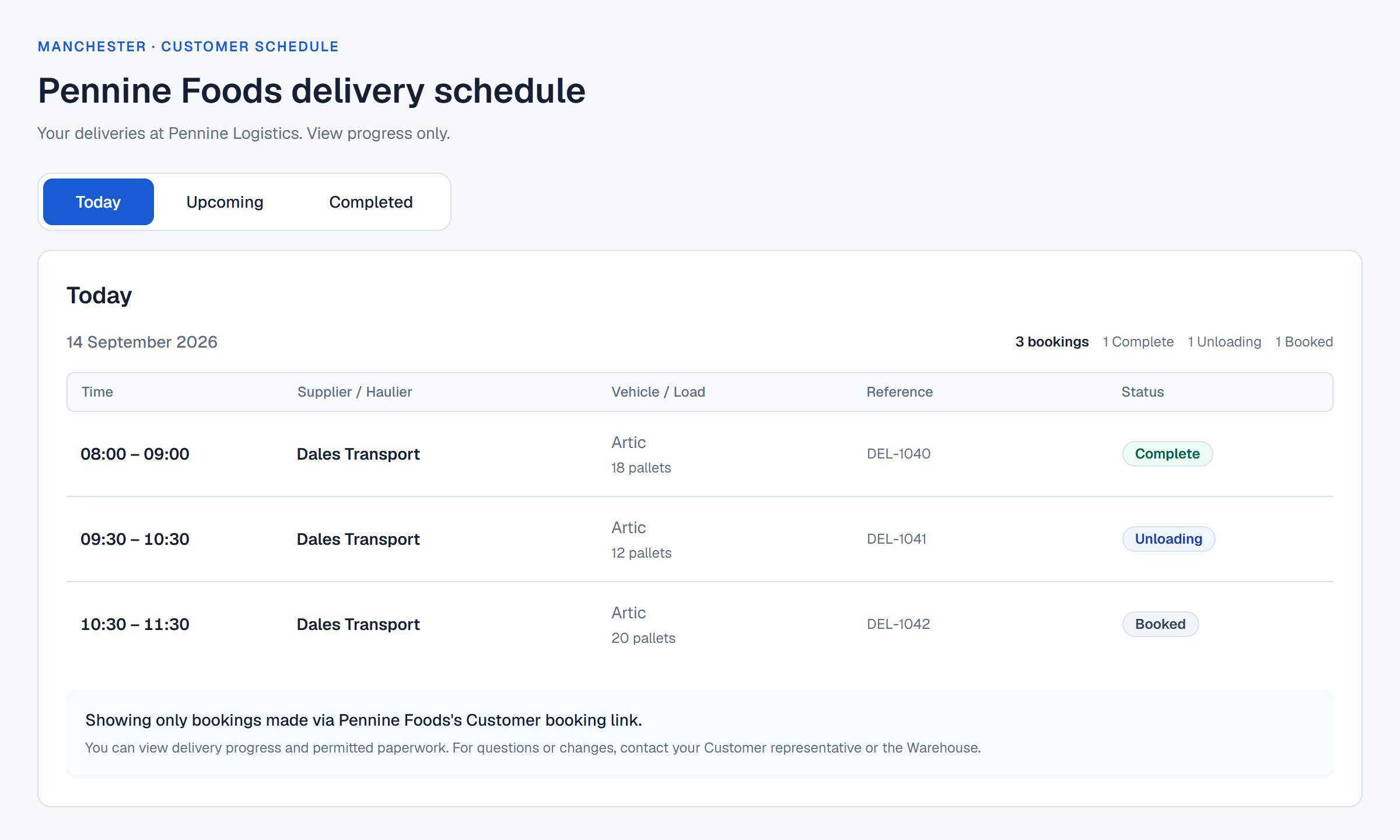
Three perspectives. One booking record.
The operational picture.
Your authorised team sees the complete warehouse schedule and manages the working day.
Warehouse schedule
All authorised warehouse deliveriesVisibility illustration · Fictional delivery data
A booking link for each customer.
Authorised warehouse managers create customer portals and share the appropriate link with suppliers and hauliers. Bookings made through that link stay associated with the customer, giving the warehouse the context it needs.
A private schedule for the customer team.
An optional authorised business domain gives verified customer employees passwordless access to a read-only schedule. They can follow their customer’s bookings and progress without calling for every update.
- Only the linked customer’s bookings are visible
- No access to another customer’s activity or the full warehouse diary
- No customer editing, rescheduling or cancellation authority
Booking parties have their own boundary.
A supplier or haulier sees the bookings that individual created and still has verified access to. Sharing a business domain does not combine colleagues’ booking histories. The customer’s read-only schedule is a separate view.
Recognisably your operation.
Organisation and warehouse identity lead the portal, with an optional customer logo alongside. SmartBay remains visible as the platform. Managers can pause a customer portal while retaining its configuration and history.
Make room for a better way to book
Bring your next delivery
into a clearer schedule.
30 days free. No payment details required.