
Delivery scheduling
A delivery diary that knows what your warehouse can handle.
Give booking parties genuine availability. Keep the hours, delivery durations and capacity under your control.
30 days free. No payment details required.
Available means the whole delivery fits.
Dock scheduling needs more than a free start time: there must be enough time and a suitable area to handle the load. SmartBay checks the full appointment against your booking windows and compatible free Handling Areas.
- Recurring weekly booking hours, including split windows
- Date-specific changes for closures and different opening patterns
- Pallet-based durations and supported container or special-load rules
Carrier self-booking within your rules.
Share the warehouse or customer booking link. Suppliers and hauliers provide the delivery and load details, choose from available appointments and verify their business email to confirm. You decide which additional details and paperwork are needed.
Keep every reservation in one diary.
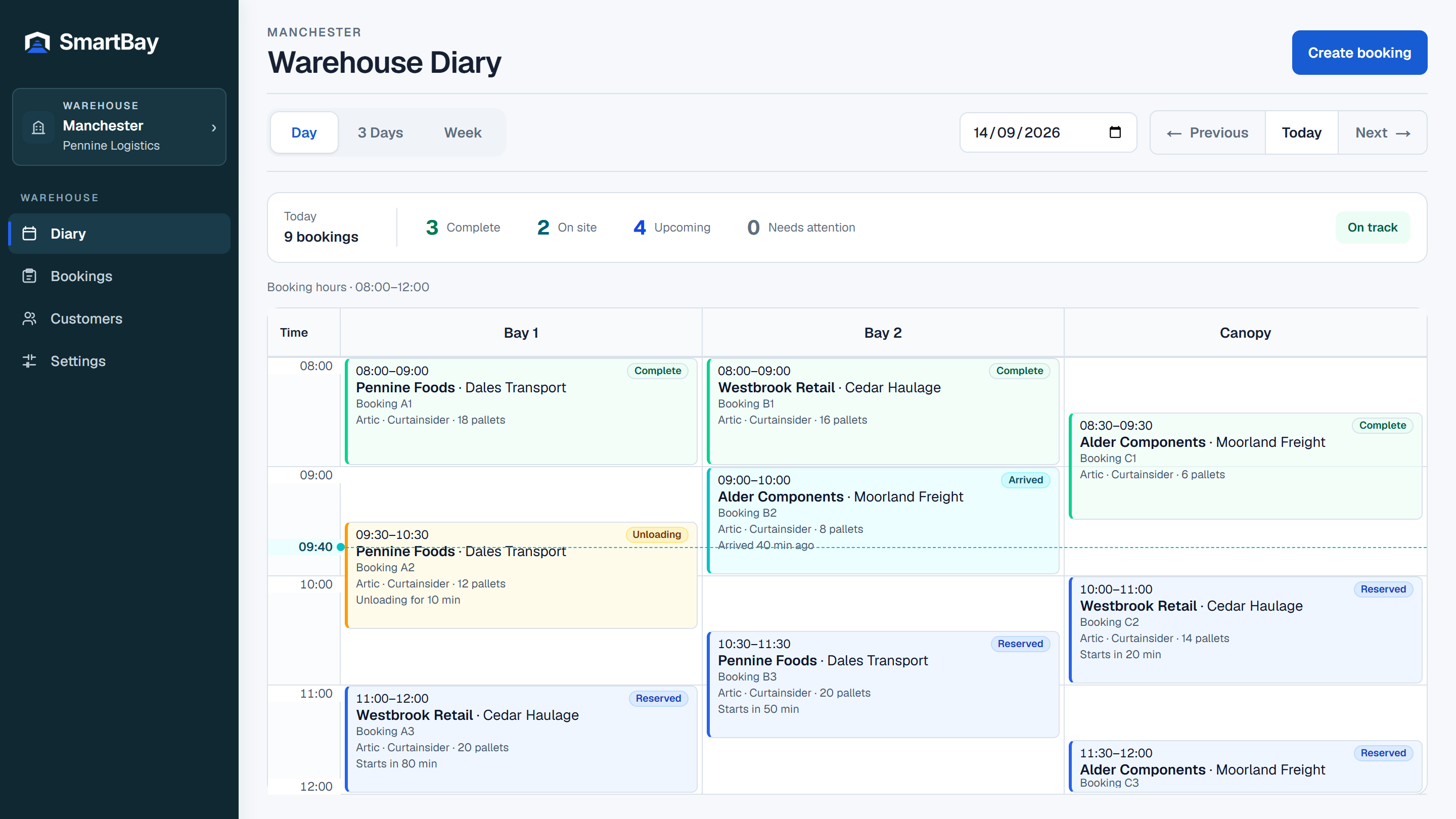
Authorised staff can also create bookings for their warehouse. Both routes use the same availability checks and operational schedule. Day, three-day and week views help the team move between today’s work and the days ahead.
Change the plan without losing the record.
Reserved bookings can be edited, rescheduled or cancelled by authorised users. Availability is rechecked for scheduling changes. Once warehouse processing starts, external online changes stop and the warehouse controls progress.
Make room for a better way to book
Bring your next delivery
into a clearer schedule.
30 days free. No payment details required.