
Inbound & outbound workflow
From appointment to completion. One record all the way.
Manage delivery and collection appointments through inbound and outbound workflows, with the schedule, details and paperwork together.
30 days free. No payment details required.
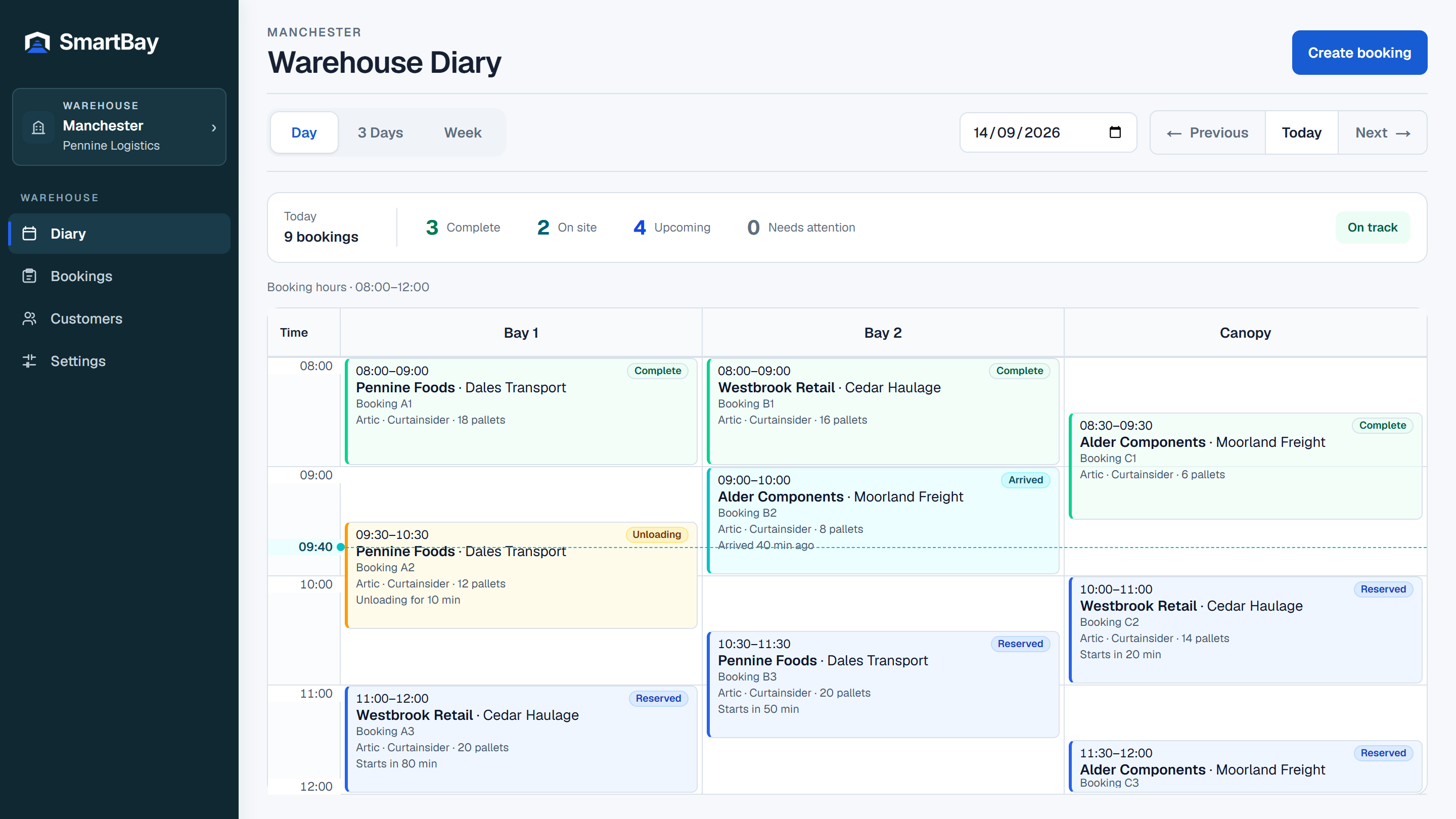
Start the day with a shared view.
See scheduled deliveries, loads, customer context and current progress in the Diary. The operational summary helps the team find deliveries on site, upcoming work and bookings that need attention.
Use the stages your warehouse needs.
Arrived and Unloaded form the core delivery workflow; collections use Loaded. Enable Paperwork checked to review uploaded documents before arrival, when provided. Handling started and Vehicle departed are optional. Complete follows the final enabled stage.
- Reserved → Arrived → Unloaded → Complete
- Optional: Paperwork checked, Handling started, Vehicle departed
- The configured workflow governs normal operational transitions
Keep paperwork close to the work.
Delivery documents are attached to the booking and available to authorised warehouse staff. They provide advance visibility rather than a pre-booking approval queue. Required paperwork outstanding on an authorised internal exception remains visible for follow-up.
Handle exceptions with a history.
Did not arrive, Refused and Temporarily suspended record departures from the normal workflow. Suspension resumes to the prior state; management corrections are audited. Booking status history remains available rather than being overwritten.
Make room for a better way to book
Bring your next delivery
into a clearer schedule.
30 days free. No payment details required.