
For warehousing & distribution
Know what’s coming through the door.
Turn incoming delivery requests into a schedule the receiving team can work from, with the details collected before the vehicle arrives.
30 days free. No payment details required.
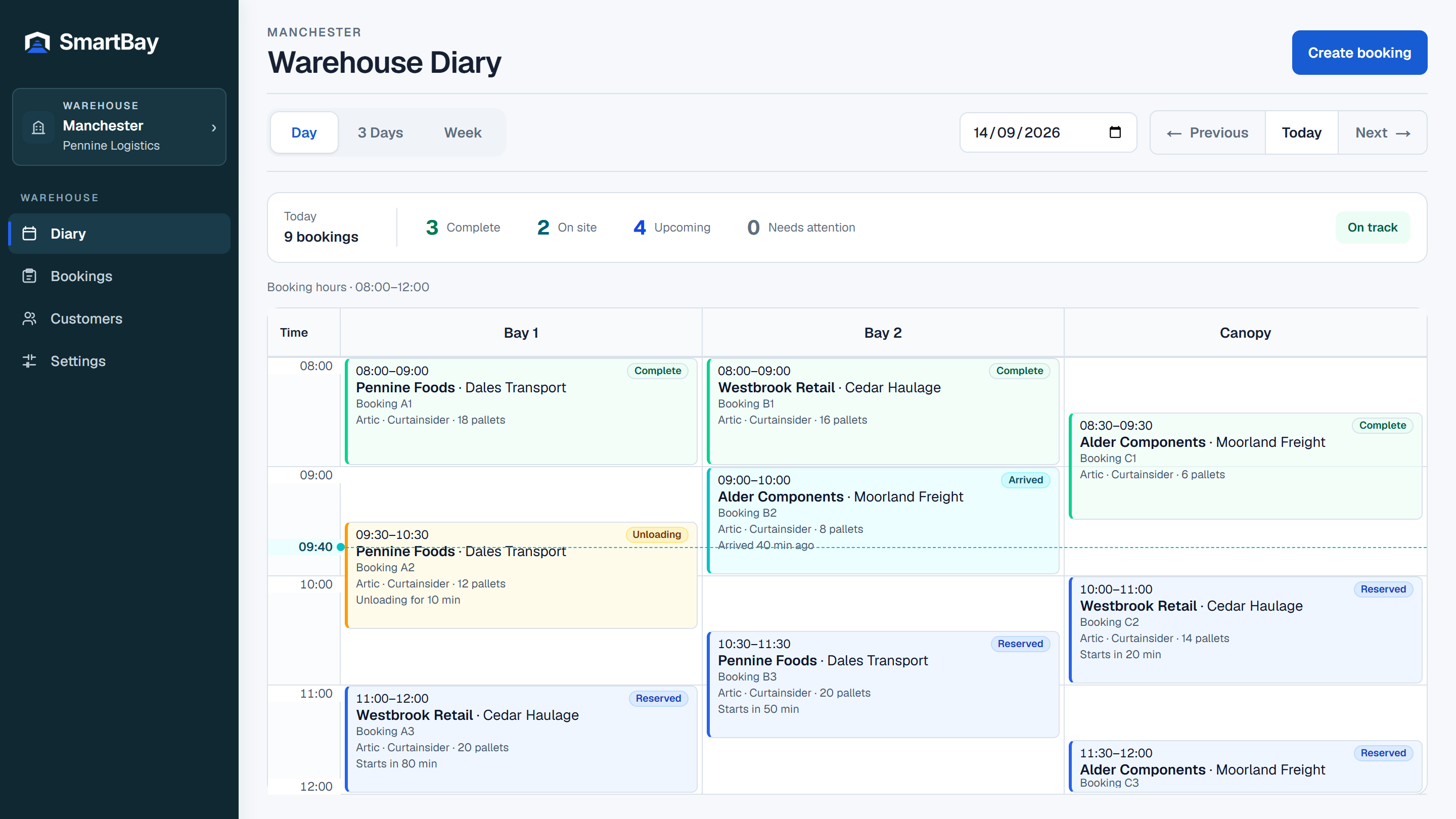
Make the receiving plan visible.
When bookings live in different inboxes, the team has to piece together the day. SmartBay puts staff-created and external reservations into the same warehouse diary, with day and forward-planning views.
Match appointments to your receiving operation.
Set booking windows around the times you accept deliveries. Use split windows, date-specific exceptions and load-duration rules. SmartBay offers appointments that fit the full delivery into a compatible free Handling Area.
Collect what the team needs ahead of arrival.
Choose which additional delivery fields are required, optional or not shown. Ask for delivery paperwork where it is needed. Information stays with the booking for the authorised team to use on the day.
Give people an appropriate view.
Warehouse staff see the schedule within their access. Booking parties can follow their own bookings. If you also store or distribute for customers, optional customer portals give each authorised customer a private read-only view.
Make room for a better way to book
Bring your next delivery
into a clearer schedule.
30 days free. No payment details required.